How it works
Two quick guides: booking a court, and checking the status of a booking you already made.
Booking a court
Browse the week
Book a court opens on the next seven days. Tap an open hour to start booking it, or tap a day at the top to see that day's full board.
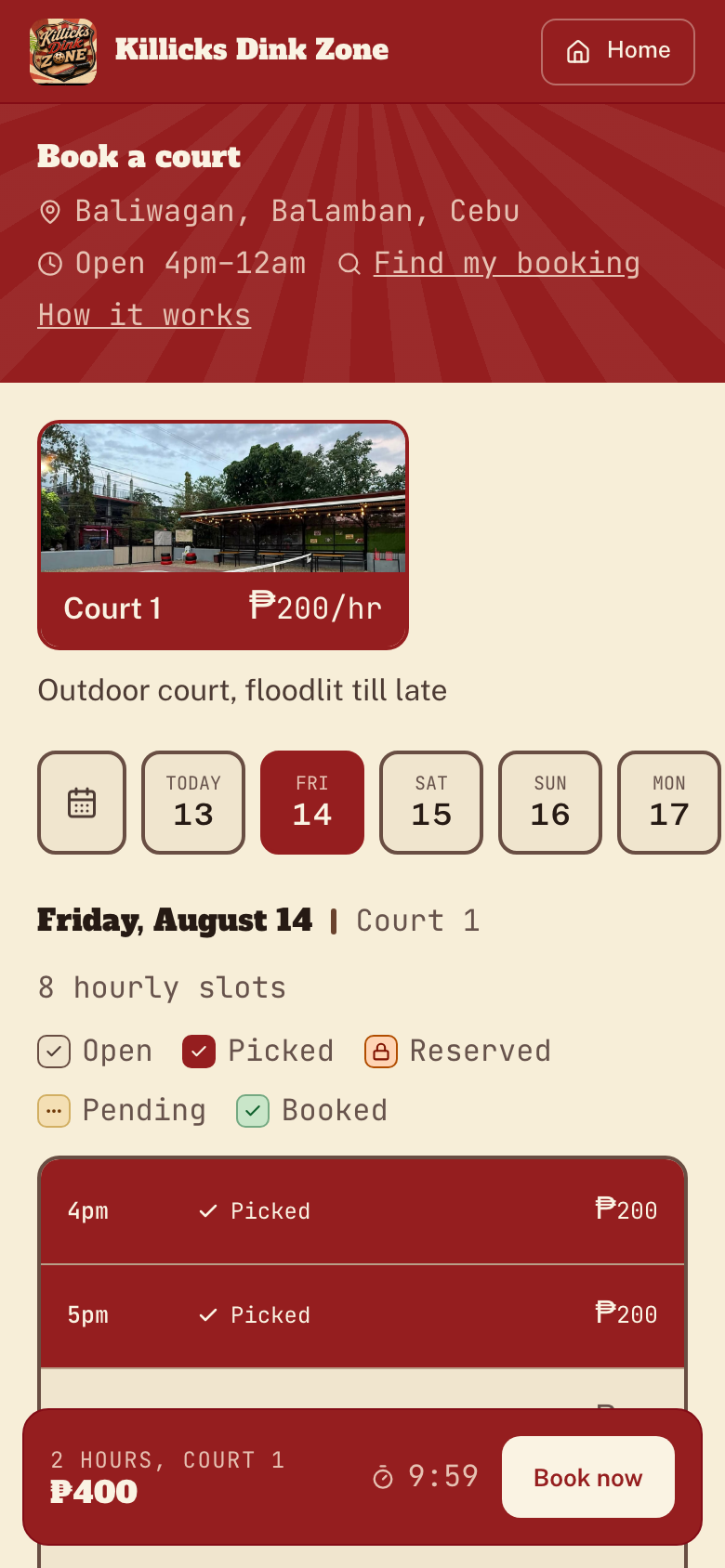
Pick your court, date & time
Swipe the court photos to pick a court, tap a day on the date strip, then tap the open hours on the schedule board. Your slots are held for 10 minutes while you finish.
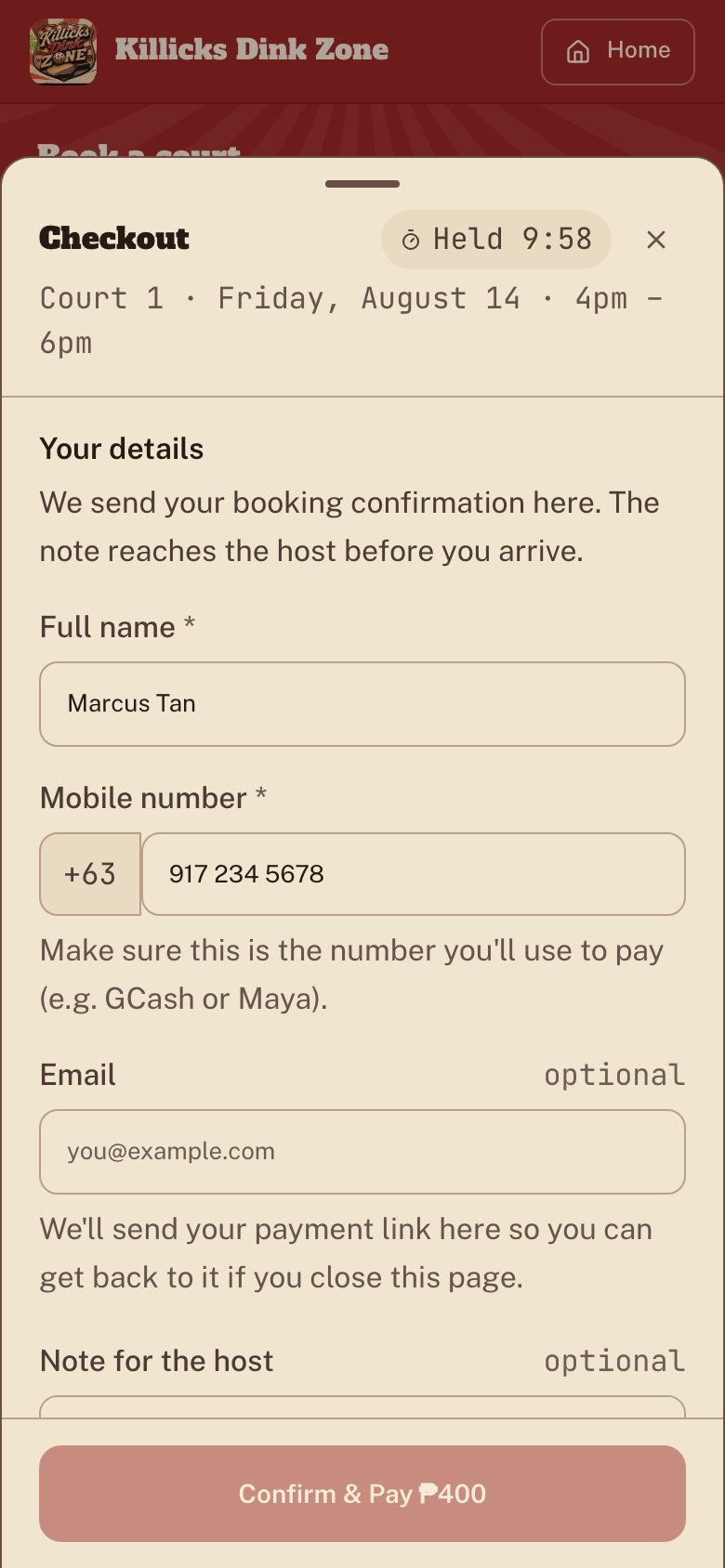
Open checkout & enter your details
Tap Book now on the red bar to open checkout. Add your name and mobile number, using the number you'll pay with. Email is optional.
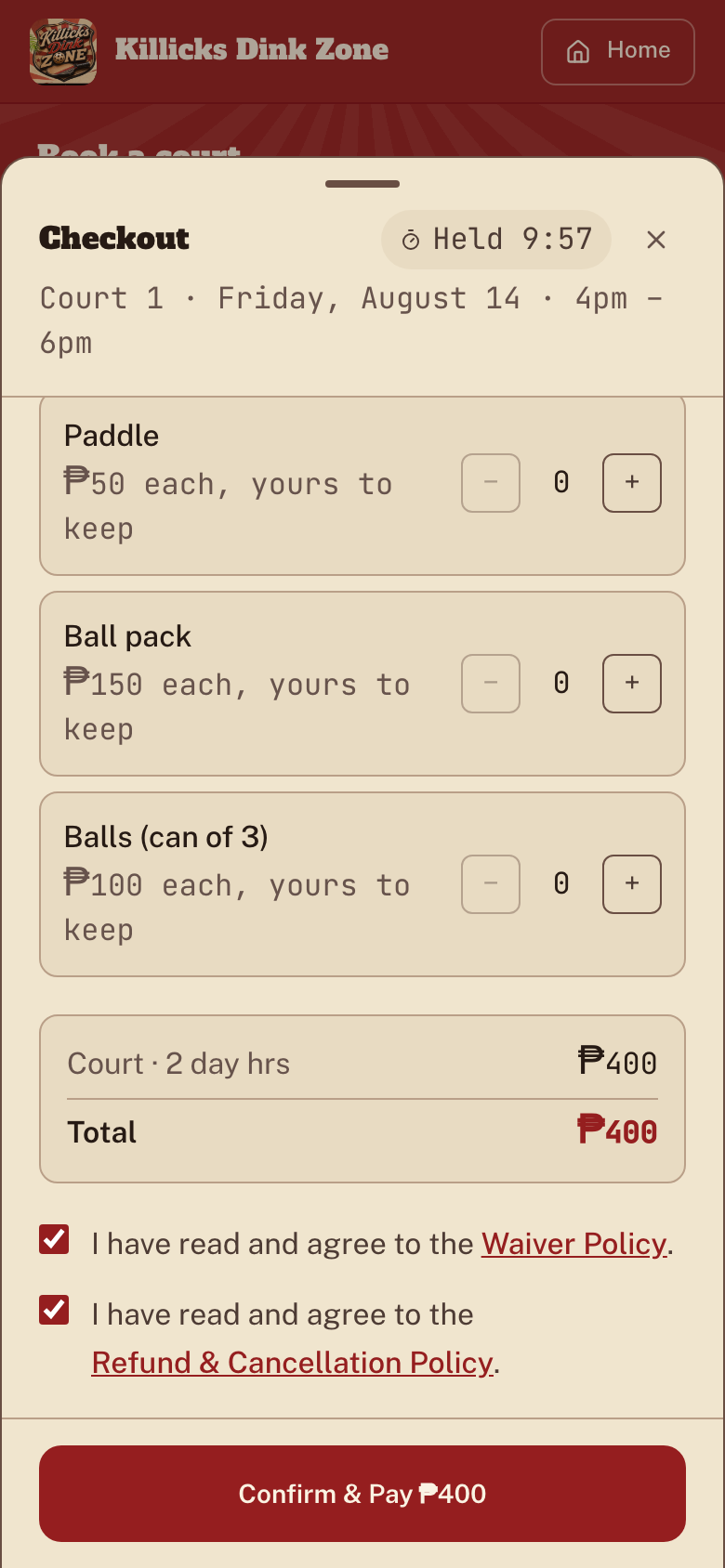
Add equipment, agree & confirm
Still in checkout: add paddles or balls if you want them, check the total, tick both policies, then Confirm & Pay to lock in your booking.
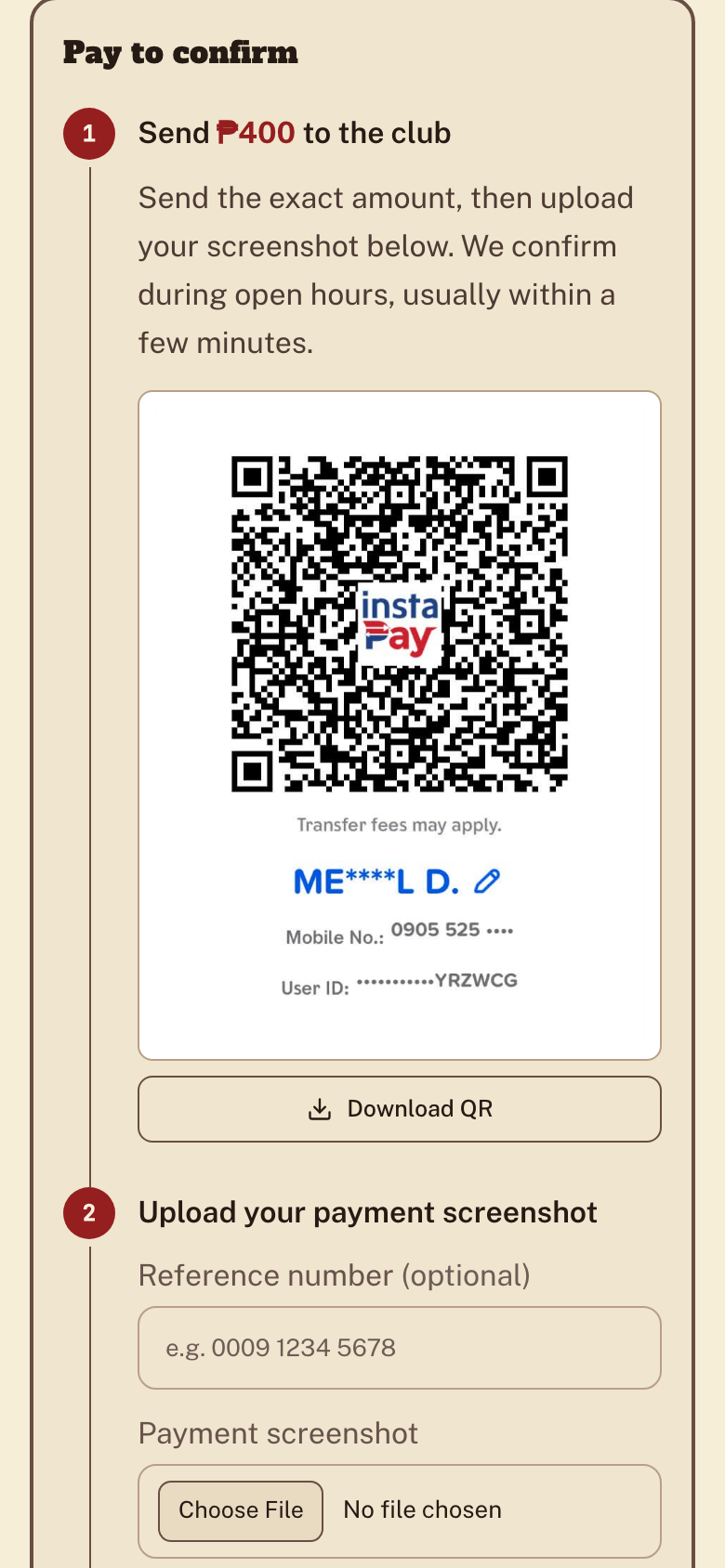
Pay via e-wallet QR
Scan the on-screen QR and send the exact amount. Keep your booking reference handy.
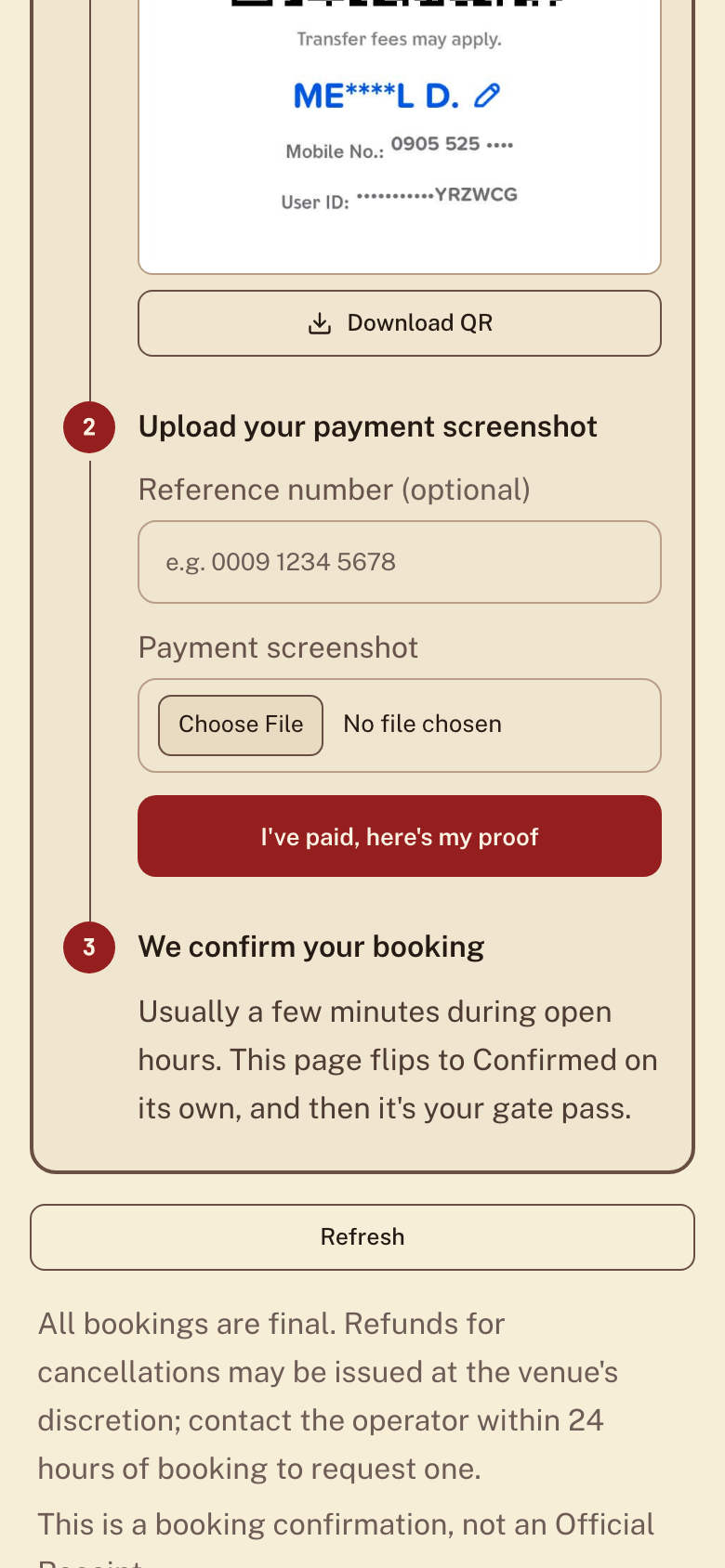
Upload your payment proof
Optionally add the reference number, attach a screenshot of your payment, and submit.
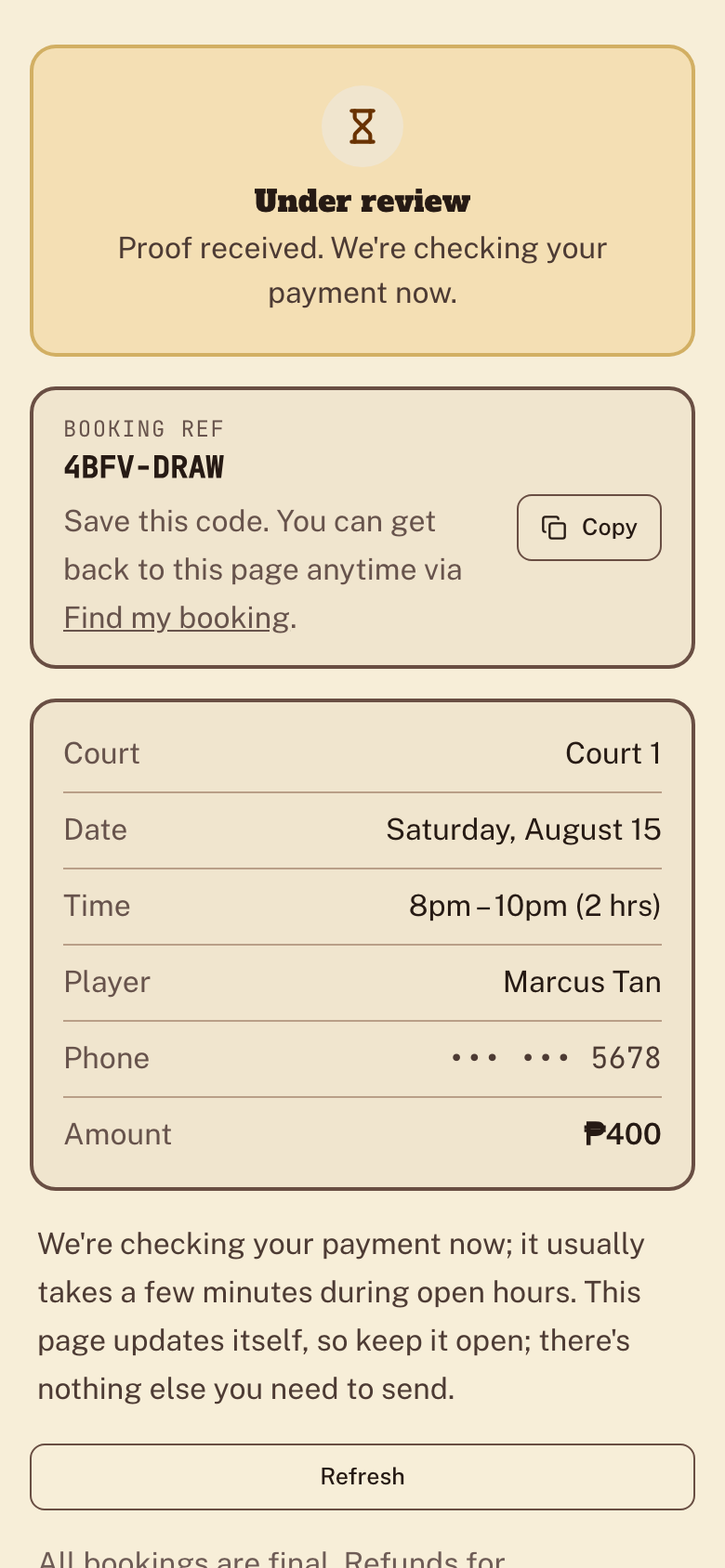
Wait for confirmation
Your ticket is stamped Reviewing while we check the payment. Keep the page open; it updates itself as soon as the host confirms.
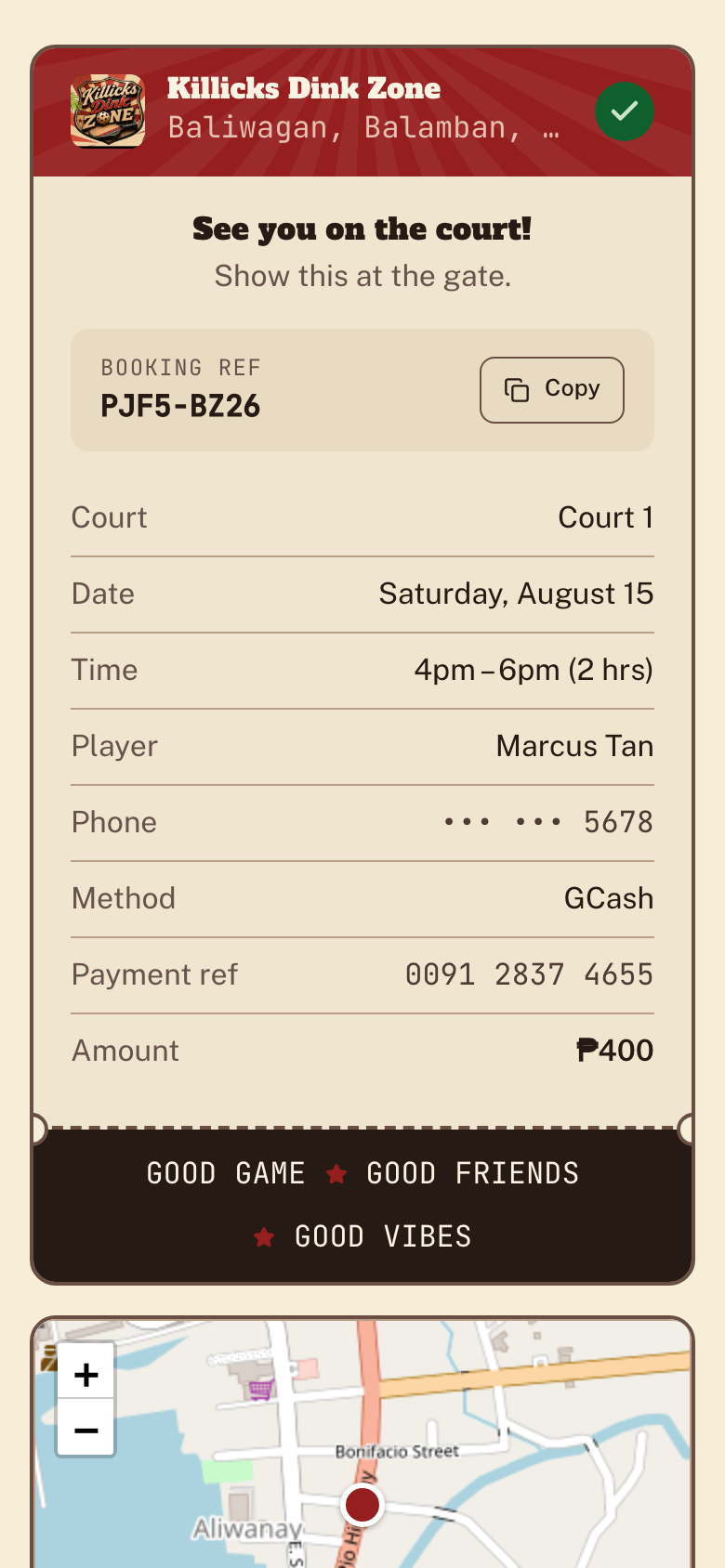
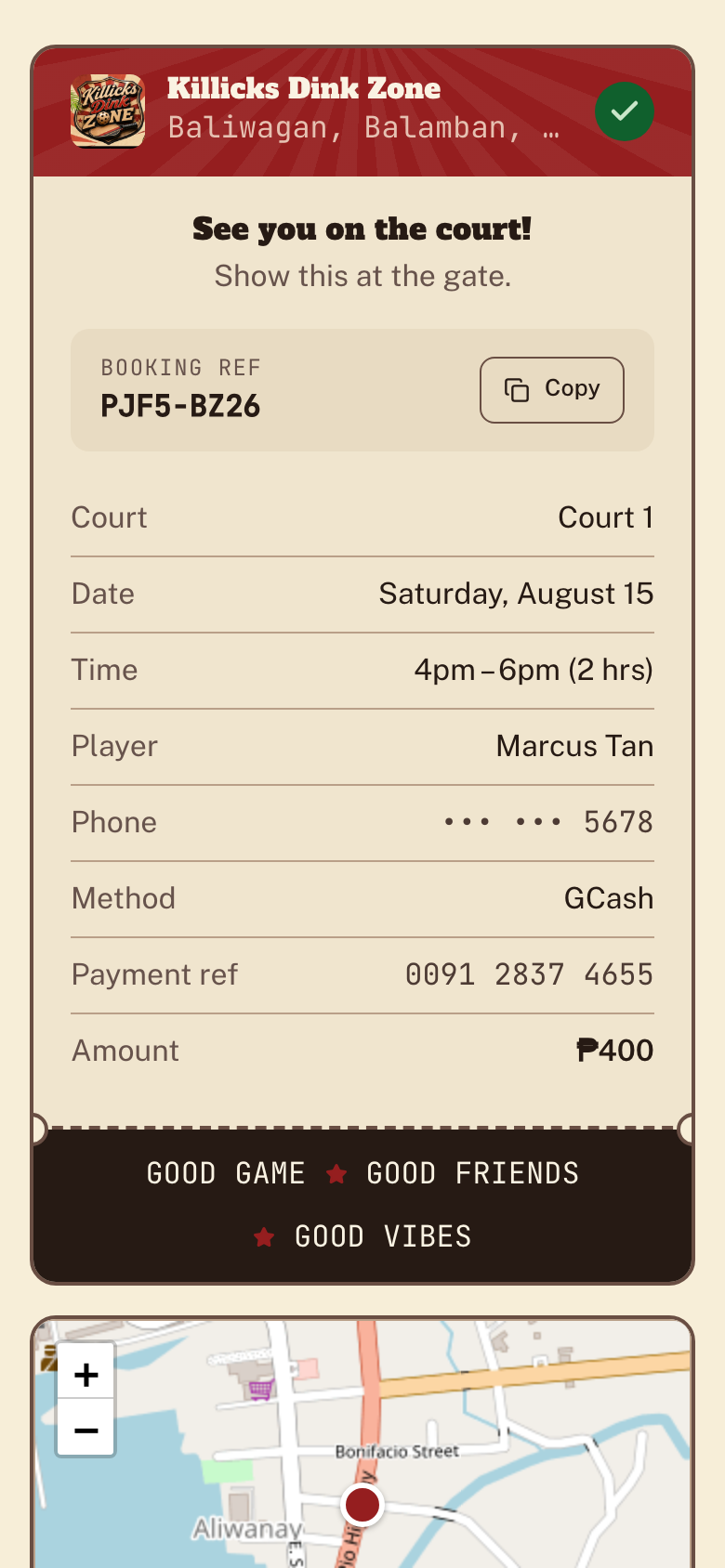
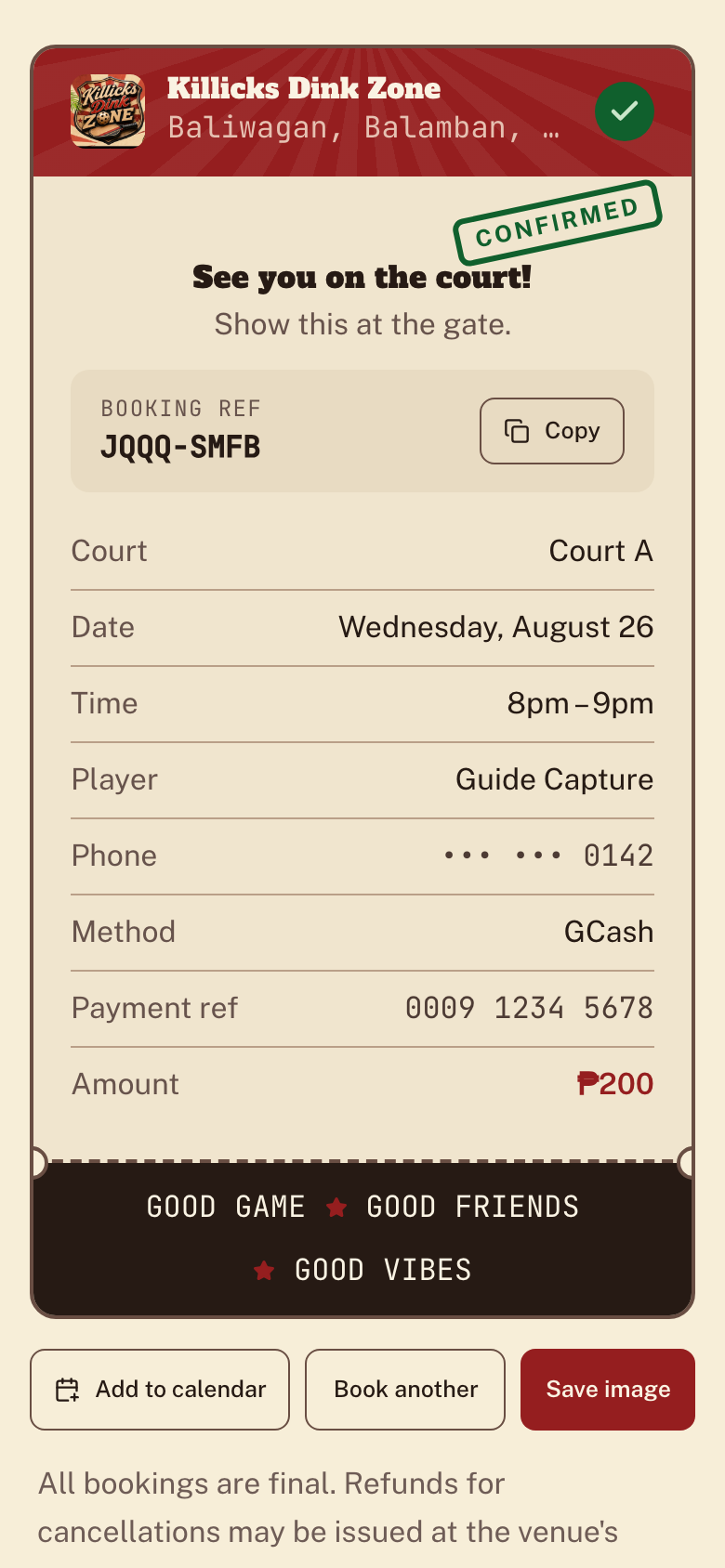
You're confirmed
Once accepted, the stamp turns Confirmed and the ticket is your gate pass. Show it at the gate, save it as an image, or add it to your calendar.
Check your booking status
Open "Find your ticket"
From the booking page or the footer, tap Find my booking (or go to /find).
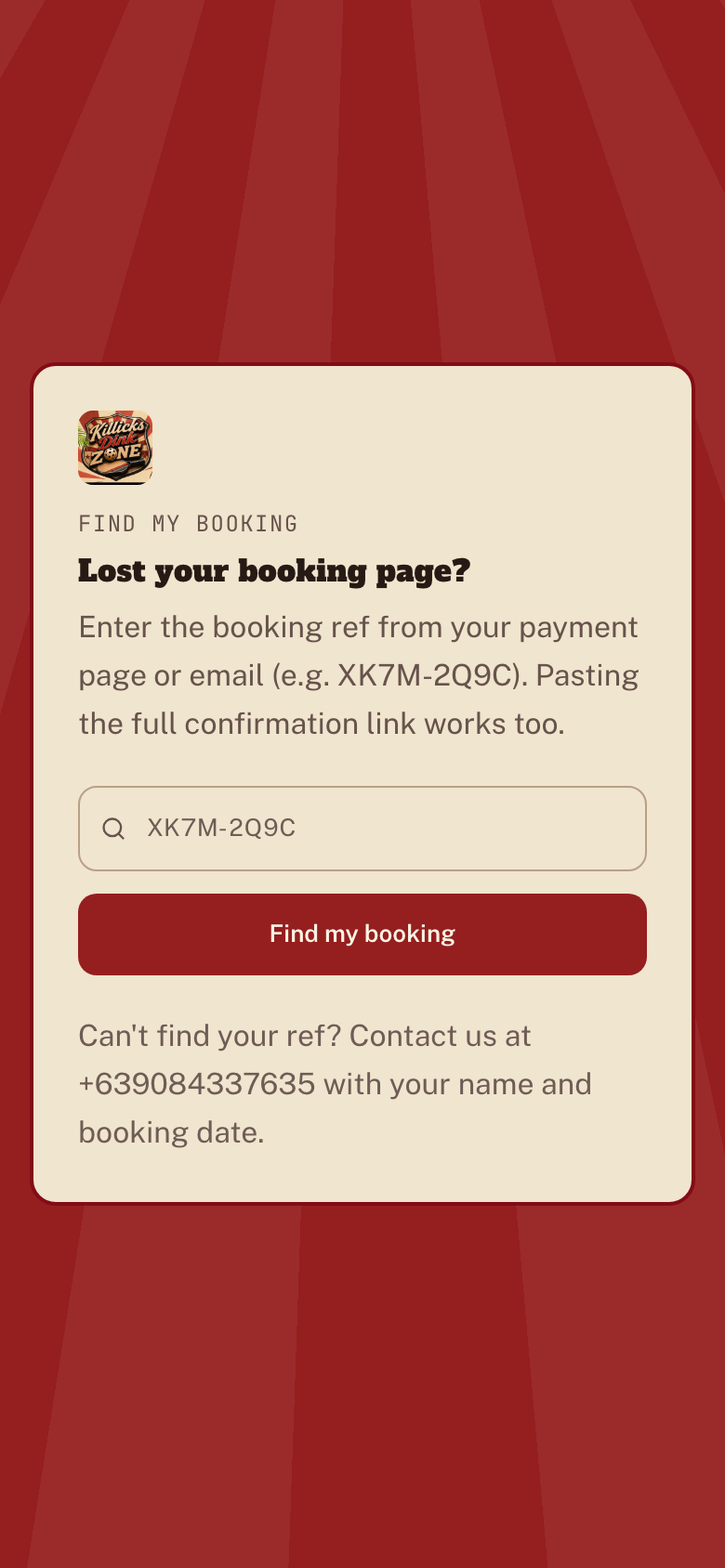
Enter your booking reference
Type the reference from your payment page or email, then tap Find my booking.
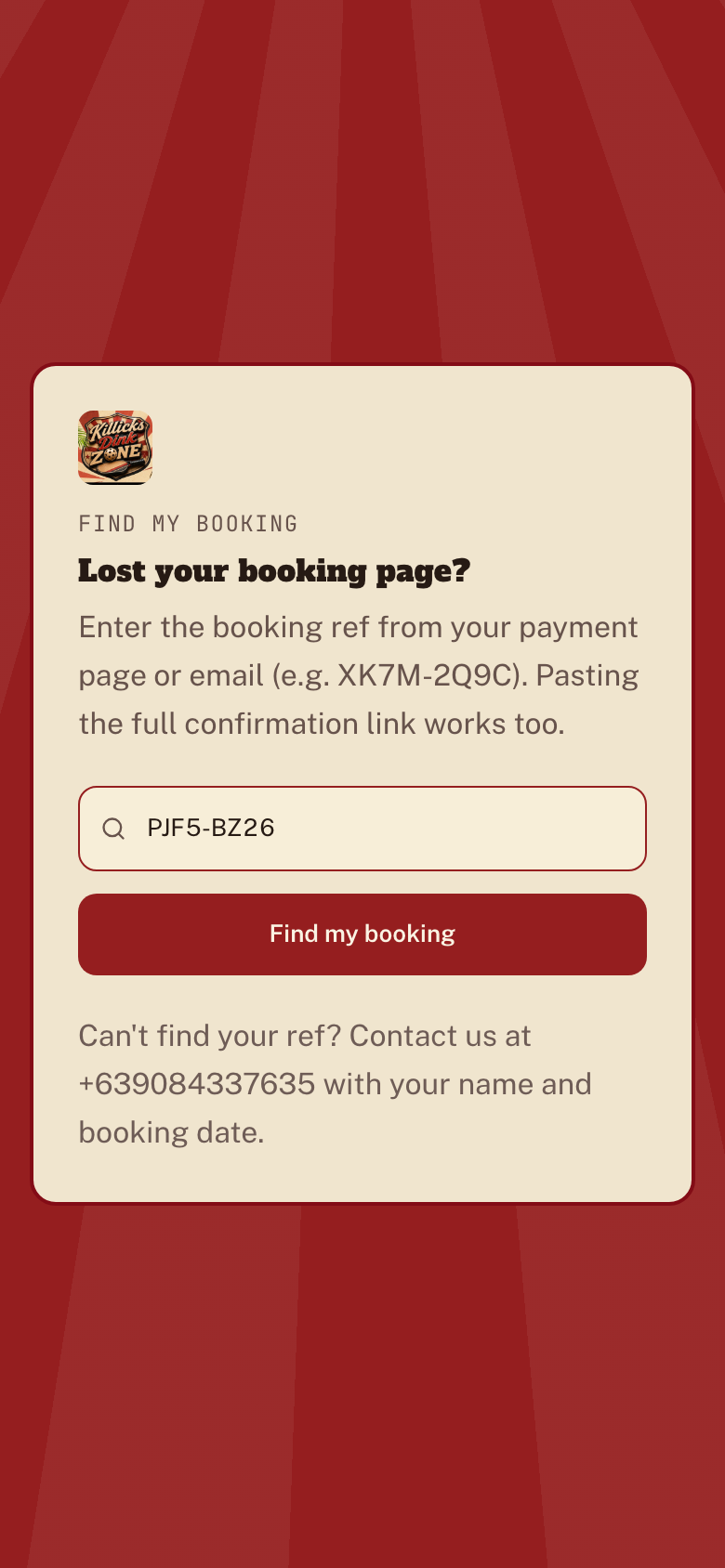
See your booking's status
You'll land on your ticket, stamped Unpaid, Reviewing, Confirmed, or Cancelled.